Daily keyword rank tracking
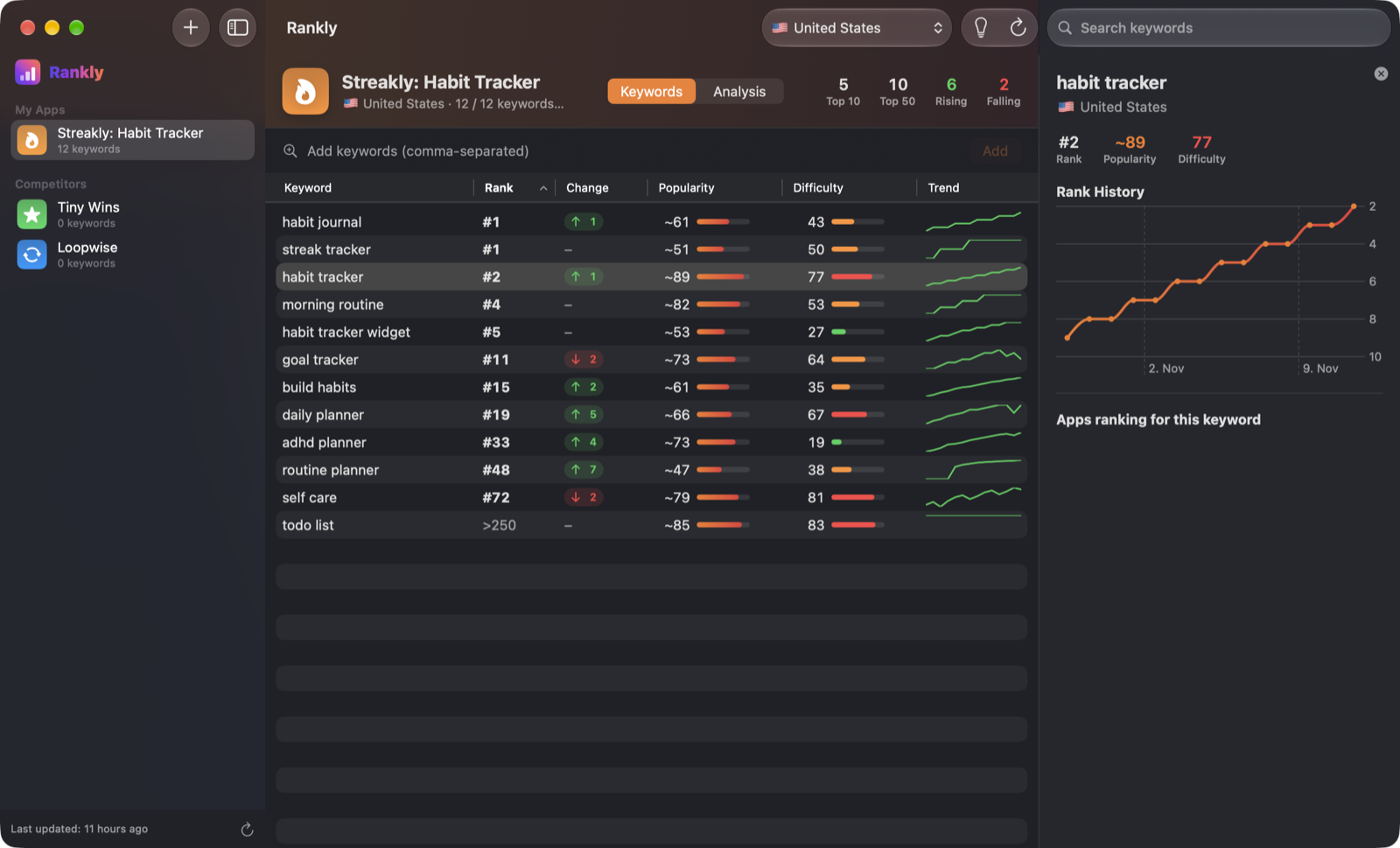
Add any app by name, App Store ID or link, then add keywords. Rankly checks the top 250 search results once a day in 53 countries and keeps the full history.
 Free & open-source ASO for Mac
Rankly tracks where any iPhone app ranks in App Store search — in 53 countries, with history, competitors and an automatic keyword analysis. A free alternative to paid ASO tools. No account, no subscription, no server.
Illustration with sample data. Popularity is an estimate.
Rankly reads the real iPhone App Store search results, so the ranks you see are the ranks your users see.
Add any app by name, App Store ID or link, then add keywords. Rankly checks the top 250 search results once a day in 53 countries and keeps the full history.
Popularity (~5–100) is estimated from App Store autocomplete. Difficulty (0–100) comes from how established the top-10 apps are and how many put the term in their name.
See every app ranking for a keyword — the top 30 with ratings — and start tracking any of them in one click.
Find related searches straight from App Store autocomplete, each with its popularity and difficulty, and add them with a click.
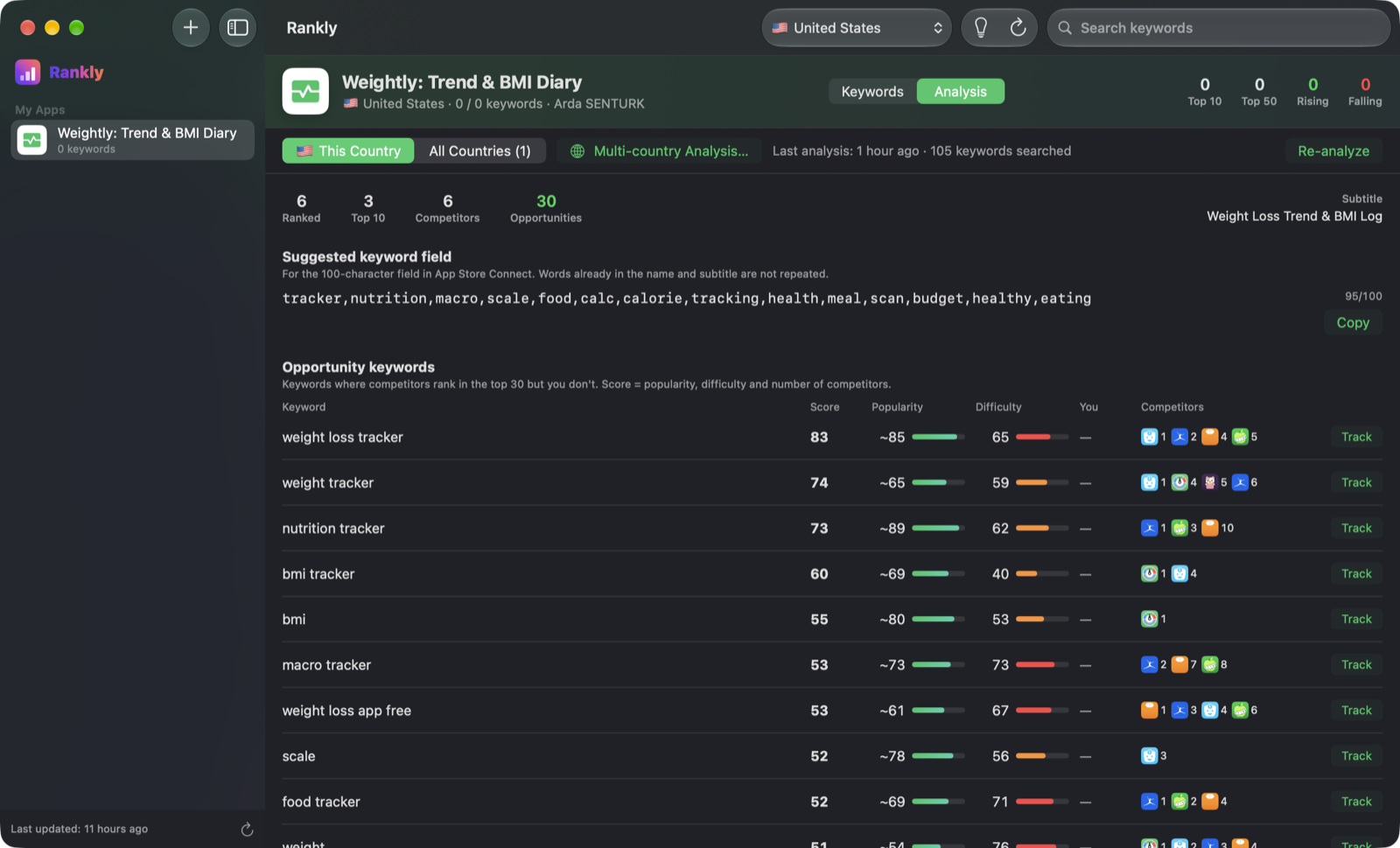
In about 1–2 minutes Rankly finds the keywords you rank for, discovers your competitors, scores opportunities and suggests a 100-character keyword field.
Rankly reads your app's languages from the App Store, pre-selects the matching storefronts and analyses each one with its localized name and description.
A compact view of your tracked keywords — top movers and current ranks — right from the menu bar, without opening the main window.
Signed and notarized builds from GitHub Releases, delivered through Sparkle. You always run the latest version.
Requests are paced. If Apple temporarily blocks search (HTTP 403), Rankly pauses for an hour instead of hammering the servers.
Click any keyword to see its rank history and the apps ranking around you.
Open the Analysis tab, press start, and in about 1–2 minutes Rankly does the research an ASO consultant would.
Candidate keywords are pulled from your app's name, subtitle and description, then expanded with App Store autocomplete.
Each candidate is searched in the real App Store to see where you rank — and which words from your name or subtitle you don't rank for.
Apps in your category that keep showing up at the top for your keywords become your competitor set — automatically.
Keywords where competitors rank in the top 30 but you don't are scored by popularity, difficulty and how many competitors use them. Brand and app-name searches are filtered out.
A suggested 100-character keyword field for App Store Connect, without repeating words already in your name or subtitle. One click to copy.
Apple never publishes an app's hidden keyword field — not for you, not for competitors. Rankly finds the keywords an app really ranks for instead.
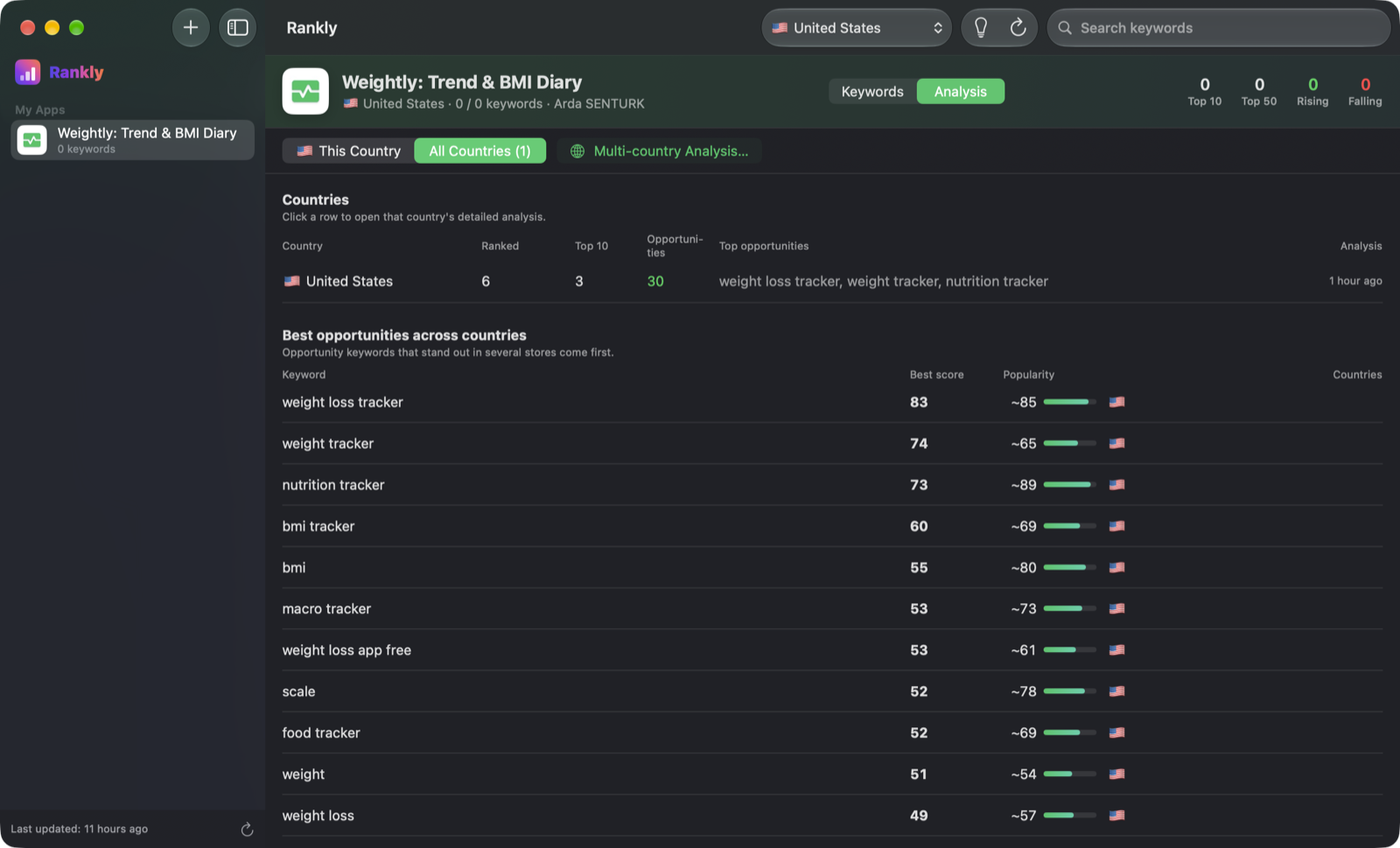
Rankly reads which languages your app is localized in, pre-selects the storefronts that search in those languages, and analyses each country in the background with its localized name and description.
Example — app localized in English, German and Turkish
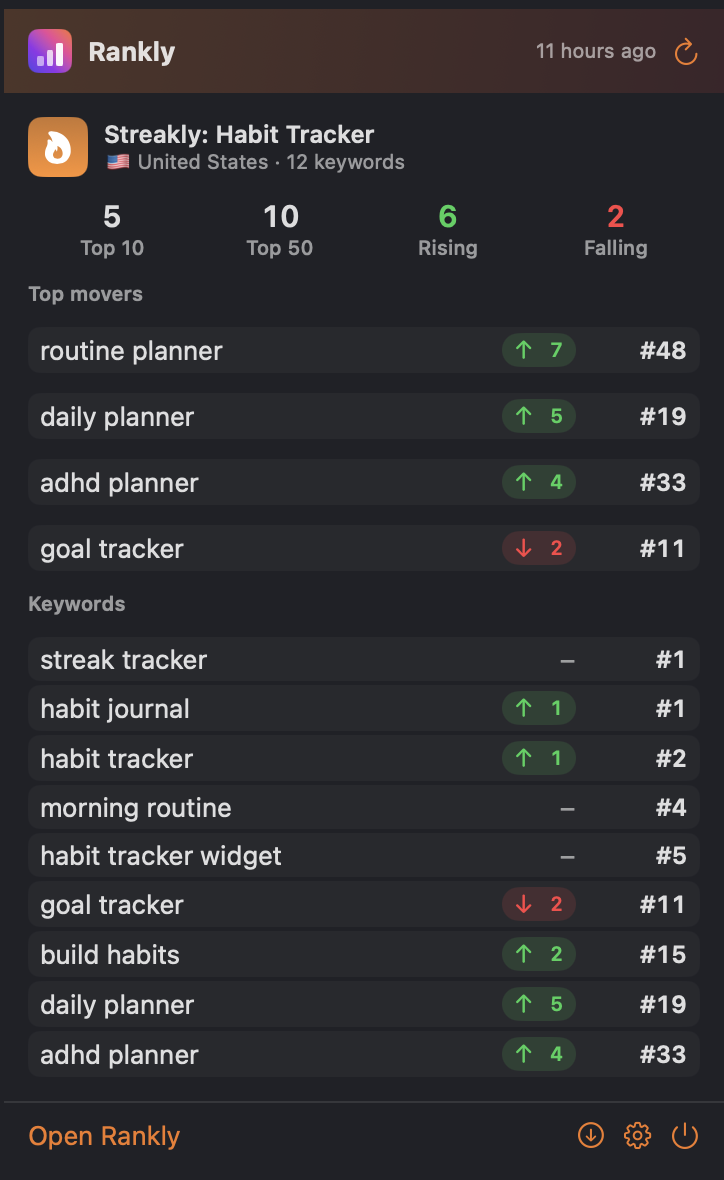
Check your top movers and current ranks from the menu bar. One click, no window.
No account, no analytics, no tracking. The developer runs no server and receives no data.
Download, open, start tracking. Nothing to sign up for.
Rankly talks to Apple's App Store directly. There's no Rankly backend.
No tracking, no ads, no cookies. Not in the app, not on this site.
Apps, keywords, history and analyses live in the app's sandbox on your Mac.
search.itunes.apple.com itunes.apple.com rankly.ardasnturk.com/appcast.xml github.com Read the privacy policy →Yes. Rankly is open source under the MIT license. There's no subscription, no trial, no paid tier and no account.
No. Apple only shares its search popularity with Apple Search Ads customers. Rankly's popularity (~5–100) is an estimate based on how early and how high a term appears in App Store autocomplete. Use it to compare keywords, not as an absolute figure.
Because there's nothing to log in to. Rankly asks Apple's public App Store endpoints directly from your Mac and stores everything locally. There's no Rankly server holding your data.
Rankly paces its requests to stay polite. If Apple still temporarily blocks search for your network (HTTP 403), Rankly pauses for an hour instead of retrying, which would only extend the block. Ranking checks simply continue later.
No. Rankly is distributed through GitHub Releases as a signed and notarized DMG, and keeps itself up to date with Sparkle.
Rankly checks iPhone App Store search results, the top 250 per keyword, in any of 53 countries. If your app isn't in the top 250, it's shown as >250.
No tool can — Apple never publishes the hidden 100-character keyword field. Rankly shows the keywords a competitor actually ranks for, which is what matters.
No. Rankly is an independent project. It uses Apple's public but undocumented App Store endpoints, which Apple may change at any time.
Free, open source, and private by design.